
CRA multi-factor authentication: the backup option rule explained
Short answer
CRA multi-factor authentication asks for a one-time passcode each time you sign in, and every CRA account user needs at least one MFA option. The CRA announced a backup requirement starting February 2026, but its help page now says only one option is mandatory; you are prompted to add a second, such as a passcode grid or third-party authenticator app, and can skip it. Adding one keeps you from being locked out if you lose your phone or change your number.
- 01Backup MFA
- Prompted at sign-up; only 1 option mandatory now
- 02MFA options
- Text, phone call, passcode grid, authenticator app
- 03Authenticator code
- 6 digits, new code every 30 seconds
- 04Passcode grid lifespan
- 18 months
- 05Wrong passcode lock
- 30 minutes; permanent after 3 locks
What changed in CRA multi-factor authentication in 2026?
Multi-factor authentication, or MFA, means the CRA checks two things when you sign in: something you know, such as your password, and something you have, such as a phone that receives a passcode. The CRA has used MFA on its sign-in services for years.
The CRA's filing-season tips of January 27, 2026 announced that, starting in February 2026, CRA account users would be required to have a backup MFA option on file, such as a passcode grid or a third-party authenticator app. The stated goal was to strengthen account security and stop people getting locked out at the passcode step.
What applies now is softer. The CRA's multi-factor authentication help page, last updated in September 2026, says only one MFA option is mandatory right now. New registrations are prompted to enrol in two options, and if you have only one, the CRA prompts you to add a backup and lets you skip that step.
Is the backup MFA mandatory?
Not at the moment. MFA itself is mandatory for every CRA account user, but only one option is currently required. Skipping the backup is still risky: if your only method is a phone number and you lose the phone, you cannot finish signing in. None of this affects filing itself: you can still file through NETFILE software without signing in to the CRA.
CRA backup MFA options compared
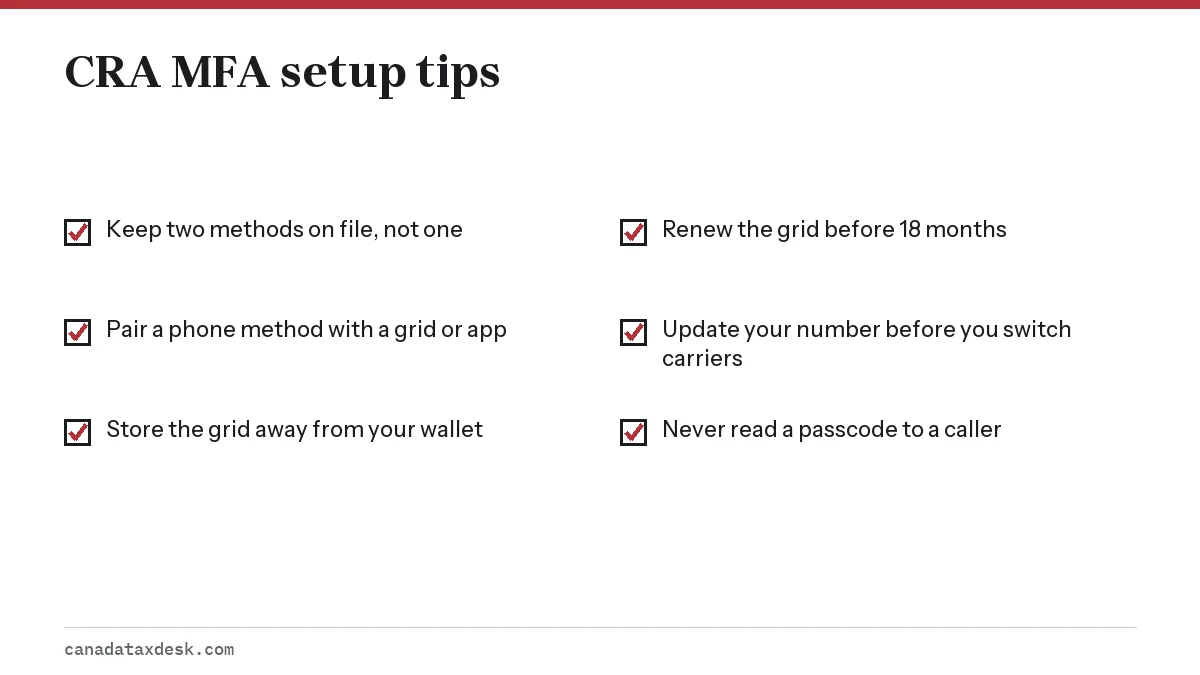
The CRA offers four options. The best pairing is one method tied to your phone plus one that is not, so a single lost device cannot take out both.
| Option | How it works | Weak point | Good as backup? |
|---|---|---|---|
| Text message | Passcode sent to a cell number | Lost phone or new number | Better as main option |
| Phone call | Automated call reads the passcode | Same number as text | Only if it is a different line |
| Authenticator app | App makes a 6-digit code every 30 seconds | Deleted app or new phone | Yes |
| Passcode grid | Printed table; you enter 3 cell values | Lost paper; expires after 18 months | Yes, stored at home |
Phone numbers must come from a country in the North American Numbering Plan, which covers Canada, the United States and several Caribbean countries. If you often travel or live elsewhere, an authenticator app or grid is the practical choice. Internet (VoIP) numbers can work, but the CRA warns that some VoIP services are not compatible with MFA; if texts do not arrive, choose the phone call option instead.
How do you add a backup MFA option?
Adding a second method takes a few minutes once you are signed in.
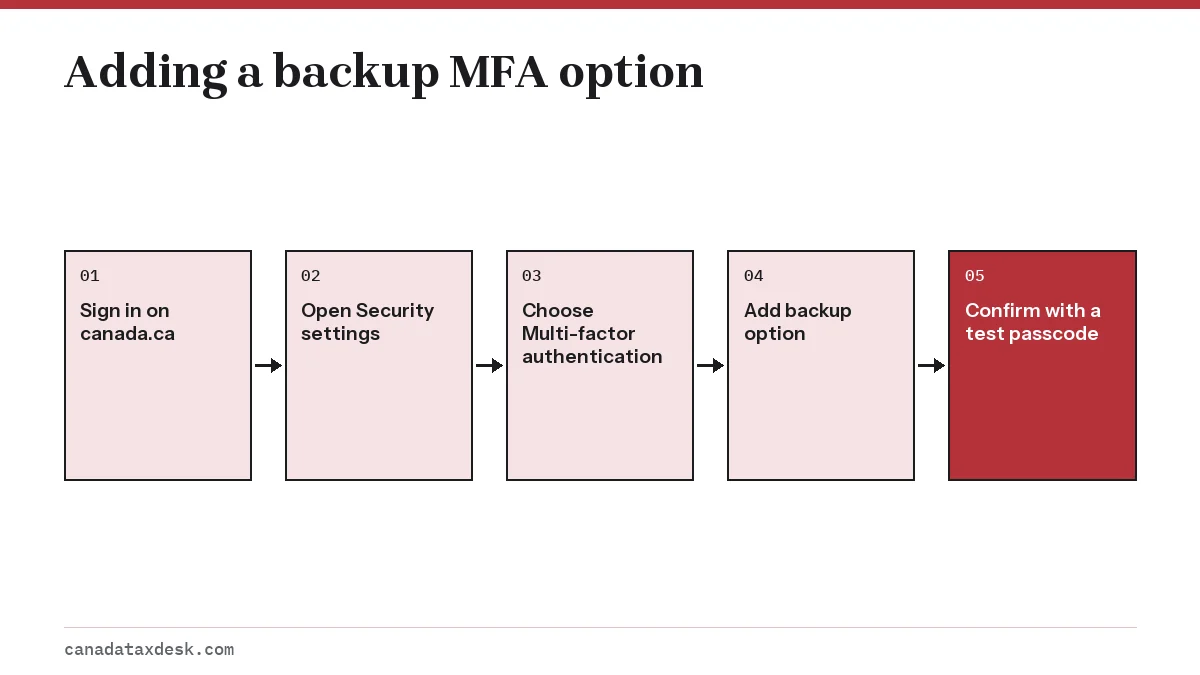
- Sign in to your CRA account through canada.ca.
- On the Welcome page, open Security settings, then Multi-factor authentication.
- Choose the method to add. For an authenticator app, scan the QR code shown or type the setup key into the app.
- Enter the passcode the new method produces to confirm it works.
- For a passcode grid, print it or save it offline, and note the date so you renew it before 18 months pass.
If you lose access to your main MFA option
What to do depends on what you still have.
- Lost or replaced phone, same number: a new SIM with your old number still receives texts and calls. Authenticator apps need to be set up again, so sign in with your text or grid and re-enrol the app.
- New phone number: sign in with your other enrolled option, then update the number under Security settings.
- Lost or expired passcode grid: sign in by phone or app and generate a new grid.
- No working option at all: you cannot finish sign-in. See our CRA account locked page for when to contact the CRA.
Too many wrong passcodes lock you out for 30 minutes. After 3 of those locks the account stays locked until the CRA releases it, so switch to your backup rather than guessing.
Staying safe from fake MFA requests
A CRA security passcode is only useful to the person signing in. The CRA's only text messages are the passcodes you trigger yourself, so a passcode that arrives when you are not signing in means someone else has your password. Do not share it, and change your password.
Scammers sometimes phone pretending to be the CRA and ask you to read back a code "to verify your identity". That code lets them into your account, where they can change your banking details. Our guide on spotting a CRA letter scam lists other tricks, and it is worth checking your CRA direct deposit details if you think a code was shared.
For the rest of what the account offers, see the CRA My Account guide.
Common questions
Why is the CRA asking me for a backup MFA option?
The CRA prompts users who have only one multi-factor method to add a second, such as a passcode grid or authenticator app, so a lost phone does not lock them out. It announced a backup requirement for February 2026, but its help page now says only one option is mandatory, and you can skip the prompt.
What is the best backup MFA for the CRA?
Choose something that does not depend on your main phone number. A printed passcode grid kept at home or an authenticator app are both good backups for people who use text messages as their main option.
Which authenticator app does the CRA use?
The CRA does not require or name a particular app. It says to download a free third-party authenticator app from a reputable store such as Google Play, the Microsoft Store or the Apple App Store, then scan the QR code or type the setup key shown in your CRA account. The app then makes a new 6-digit passcode every 30 seconds.
What happens if I lose my phone and cannot get my CRA code?
Sign in with your backup option, such as the passcode grid, then update your phone details in Security settings. If you have no working option, you will need to contact the CRA.
What is a CRA passcode grid?
It is a table of numbered rows and lettered columns, similar to a Bingo card, that you print or save after creating it in Security settings. At sign-in the CRA asks for the values in 3 row-and-column combinations, for example B,1 and A,3. Each grid expires after 18 months.
Does the CRA passcode grid expire?
Yes. A CRA passcode grid expires after 18 months. To renew it, sign in, open Security settings on the Welcome page, choose Multi-factor authentication and generate a new grid, then save or print it and destroy the old printout. The CRA says an expired grid can still be used to sign in, after which you receive a new one.
Is the CRA security code the same as the MFA passcode?
No. The CRA security code is a one-time code mailed during registration to confirm your address. MFA passcodes are short-lived codes you receive every time you sign in.
Sources
- What you need for the 2026 tax-filing season canada.ca
- Multi-factor authentication: CRA account help canada.ca
- My Account for individuals: CRA sign-in canada.ca
- Recognize a scam canada.ca
We check figures against these official pages. Rules change; confirm anything that affects a deadline or payment with the agency before you act.
Tell us what happened
Describe your situation and our editors will use it to improve this guide. If you leave your email, we may reply with a pointer to the right page or official contact. We never share your details.
Related guides
 CRA My Account: Sign In, Register and Fix Access Problems
CRA My Account is the Canada Revenue Agency's secure online portal for individuals, and you reach it from the official Sign in to…
CRA Account Locked: How to Unlock It and Get Back In Fast
A CRA account locked after wrong passcodes usually reopens by itself after 30 minutes. If it locks 3 times, or you have forgotten…
CRA Scam or Real? How to Check a CRA Letter, Text or Call
To spot a CRA letter scam, compare the message with how the CRA really works. The CRA does call and mail letters, but it never th…
CRA Direct Deposit: How to Set It Up for Tax Refunds
CRA direct deposit sends your tax refund and benefit payments straight into a Canadian bank or credit union account. Sign up in M…