
CRA Auto-fill my return: what it fills in and what it misses
Short answer
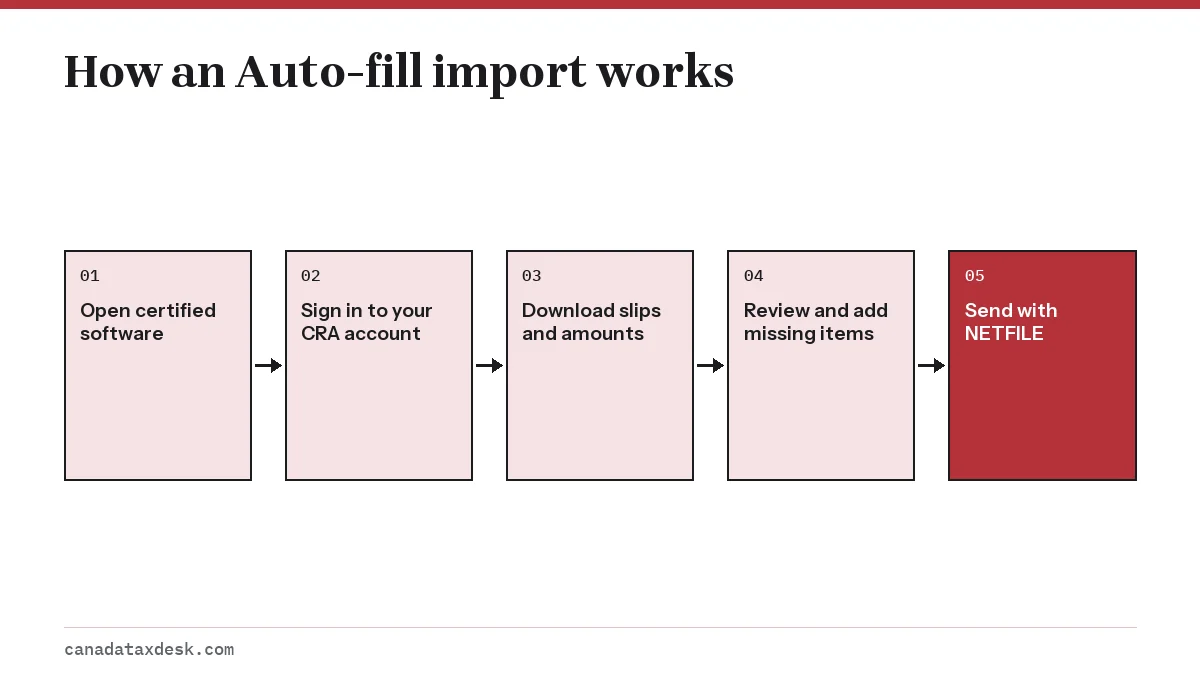
CRA Auto-fill my return is a service inside NETFILE-certified tax software that downloads information the CRA already holds, such as T4, T5 and RRSP slips, your RRSP deduction limit and carryforward amounts. You sign in with your CRA account from the software. Most slips are available by mid-March, and you must still check and add anything missing.
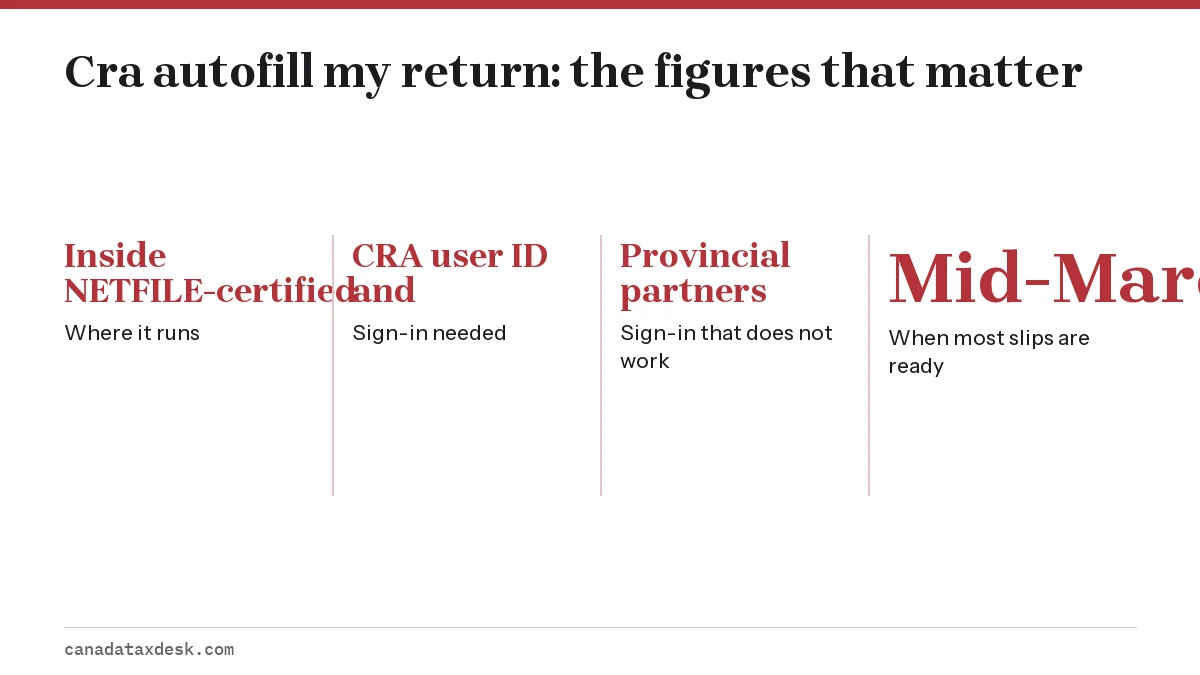
- 01Where it runs
- Inside NETFILE-certified tax software
- 02Sign-in needed
- CRA user ID and password or a Sign-In Partner
- 03Sign-in that does not work
- Provincial partners (Alberta.ca Account, BC Services Card)
- 04When most slips are ready
- Mid-March
- 05Years covered
- Slips for 2016 and later; carryforward amounts for the current return
What CRA Auto-fill my return does
CRA Auto-fill my return lets certified tax software download information the CRA already has about you and place it on the right lines of your return. Instead of typing each slip, you connect the software to your CRA account and import the data in one step.
It fills in parts of the return, not the whole thing. Deductions such as rent, childcare, donations without slips, and most self-employment figures still come from you. The CRA says you remain responsible for making sure every field is correct, including the ones Auto-fill did not touch.
What do you need to use CRA auto fill my return?
- A registered CRA account. You sign in with a CRA user ID and password or through a Sign-In Partner (your online banking login). The provincial partner options, Alberta.ca Account and BC Services Card, are not compatible with Auto-fill.
- NETFILE-certified software. Auto-fill runs inside certified software, not on the CRA website. The CRA lists certified products on canada.ca; check that yours offers Auto-fill for the year you are filing.
- Your own return, or authorization for someone else's. The individual version imports your own data. To file for a family member or friend, add a Representative account through Represent a Client in your CRA account, then request authorization to access their information. Professional tax preparers use a separate Auto-fill My Return service for preparers.
- Working multi-factor authentication. Since February 2026 the CRA requires a backup MFA option on file, such as a passcode grid or a third-party authenticator app, so check it before tax season.
If you do not have a CRA account yet, register well before you file. Our CRA My Account guide walks through registration and the security code step.
Information Auto-fill my return brings in
The CRA's list is longer than most people expect. It covers income slips, account balances and amounts carried forward from earlier years.
| Type | Items |
|---|---|
| Employment and benefit slips | T4, T4A, T4A(OAS), T4A(P), T4E, T5007 |
| Investment and registered plan slips | T3, T5, T5008, T5013, T4RSP, T4RIF, T4FHSA, RRSP and PRPP contribution receipts |
| Education and other slips | T2202, T1204, RC62, RC210, Manitoba Rent Assist |
| Carryforward and account items (current-year return) | RRSP deduction limit, Home Buyers' Plan and Lifelong Learning Plan repayments, FHSA amounts, capital gains and losses, unused net capital losses, tuition carryforward amounts, Canada training credit limit, disability tax credit, instalment amounts |
| Other account information | Direct deposit details, returned mail, outstanding GST/HST returns, NETFILE access code |
The carryforward items are often more valuable than the slips. A forgotten $3,000 of unused tuition or a Home Buyers' Plan repayment that you skip can change your balance, and Auto-fill pulls both from the CRA's records. Auto-fill can also supply your 8-character NETFILE access code for sending the return. Using it is optional, but the CRA says it makes it easier to authenticate yourself if you later need to contact the CRA.
Joint accounts and T5 slips
When a slip shows more than one name, such as a T5 for a joint bank account, Auto-fill prompts you to confirm whether the amount is right and who should report the income. Report only your own share rather than accepting the full imported figure. You can enter your percentage of the interest directly in the software; the other person reports the rest.
When the information is available
The CRA says it should receive most third-party tax information by the end of February, and that the information should be processed and available by mid-March. Importing earlier can leave gaps, so import again before you file.
| Period | What to expect |
|---|---|
| Late February 2027 | Slips reach the CRA; imports may be incomplete |
| Mid-March 2027 | Most slips and carryforward amounts available |
| May 2027 | RRSP and PRPP receipts for contributions made in the first 60 days of 2027 may only appear now |
The May timing comes from the CRA's note that receipts for contributions made in the first 60 days of a year may not be available until May. If you contributed to an RRSP in the first 60 days of 2027 and want to deduct it on your 2026 return, type the receipt in yourself. Waiting for Auto-fill could push you past April 30.
When information is missing
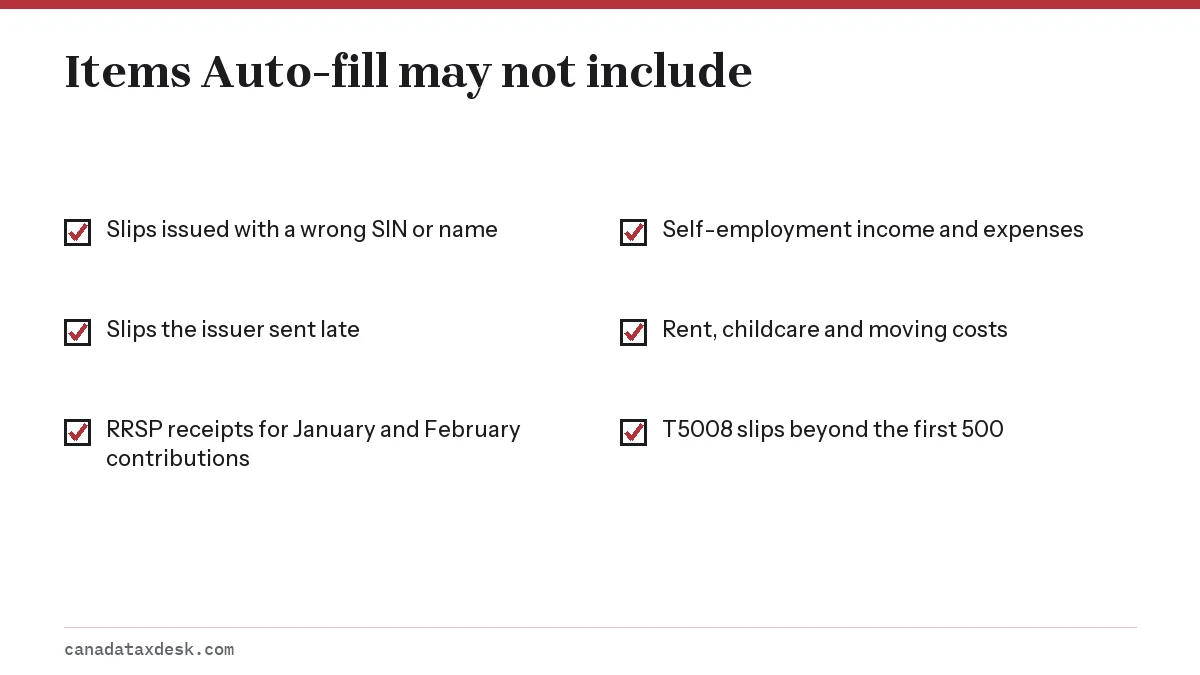
A missing slip does not mean the income does not count. You still have to report it. The CRA names two common causes: the issuer has not sent the slip or the CRA has not processed it yet, or the slip was filed with a wrong SIN, first name or last name, so it never matched your file.
Ask the issuer for a copy or check My Account again later. If the slip never arrives, report the income from pay stubs or statements. Our missing tax slip page covers estimating the amount and what to attach.
One hard limit: Auto-fill can send up to 500 T5008 slips. With 501 or more, the CRA says an error message reports too many slips, so active traders must enter the figures by hand.
If CRA auto fill my return is not working
Start with the sign-in, because Auto-fill depends entirely on your CRA account connection. Work through these checks in order.
- Confirm you are using a CRA user ID or Sign-In Partner, not Alberta.ca Account or BC Services Card.
- Sign in to My Account directly on canada.ca. If that fails too, the problem is your account, not the software.
- Check that your software version is certified for the tax year you are filing.
- Look for a CRA service outage notice on canada.ca, especially near deadlines.
- If one slip is missing but others imported, treat it as a missing slip rather than a failed connection.
Error messages inside a specific product are a software issue; the maker's own help pages cover those. If you give up on Auto-fill, you can still file online by typing the slips in, as described in how to file a tax return in Canada. People with very simple returns may also qualify for SimpleFile, which uses the CRA's data without software.
Common questions
Is Auto-fill my return free?
Auto-fill is a CRA service reached through certified software, so any cost comes from the software you choose. The CRA's certified software list includes free products; check that the one you pick offers Auto-fill.
Does CRA autofill work with TurboTax?
Yes. TurboTax says Auto-fill my return is supported by all editions of its software at no extra cost. For any other product, such as Wealthsimple Tax or UFile, check the CRA's NETFILE-certified software list and the maker's help pages for the tax year you are filing.
Why can't I use Auto-fill with my BC Services Card login?
The CRA says provincial partner sign-ins, including BC Services Card and Alberta.ca Account, are not compatible. Sign in with a CRA user ID and password or a Sign-In Partner instead.
Can I use Auto-fill my return for past years?
Partly. Slips are available for 2016 and later tax years, which helps if you are catching up on late returns. Items such as the RRSP deduction limit and tuition carryforwards are provided for the current-year return.
Does Auto-fill include all my slips?
Not always. Slips the CRA has not received or processed, or slips with a wrong SIN or name, will not import. Receipts for RRSP contributions made in the first 60 days of the year may not be available until May.
Is the information from Auto-fill guaranteed to be correct?
No. It reflects what issuers reported. If a figure is wrong, contact the issuer for an amended slip and report the correct amount.
Can a free tax clinic use Auto-fill my return for me?
Yes, once you authorize it. The CRA's training for Community Volunteer Income Tax Program (CVITP) volunteers shows them how to send an authorization request and then download your information into the UFile CVITP software, so the volunteer can import your slips instead of typing them.
Sources
- Canada.ca: Auto-fill My Return canada.ca
- Canada.ca: NETFILE canada.ca
- CRA: Account for individuals canada.ca
- CRA: What you need for the 2026 tax filing season canada.ca
- CRA: CVITP learning guide video gallery (Auto-fill my return in UFile CVITP) canada.ca
- TurboTax Canada: The complete guide to Auto-Fill My Return turbotax.intuit.com
We check figures against these official pages. Rules change; confirm anything that affects a deadline or payment with the agency before you act.
Tell us what happened
Describe your situation and our editors will use it to improve this guide. If you leave your email, we may reply with a pointer to the right page or official contact. We never share your details.
Related guides
 How to File a Tax Return in Canada: Complete Guide
How to file a tax return in Canada: collect your slips and receipts, pick a filing method (certified software with NETFILE, a Sim…
How to File a Tax Return in Canada: Complete Guide
How to file a tax return in Canada: collect your slips and receipts, pick a filing method (certified software with NETFILE, a Sim…
 CRA My Account: Sign In, Register and Fix Access Problems
CRA My Account is the Canada Revenue Agency's secure online portal for individuals, and you reach it from the official Sign in to…
Missing Tax Slip? T4 Slip Download and Other Fixes
If a slip has not arrived, try a T4 slip download from CRA My Account first; every slip the issuer has filed is there. Otherwise,…
SimpleFile CRA: Who Gets an Invitation and How It Works
SimpleFile is the CRA's free filing service for people with lower income and a simple tax situation. You answer short questions a…
CRA My Account: Sign In, Register and Fix Access Problems
CRA My Account is the Canada Revenue Agency's secure online portal for individuals, and you reach it from the official Sign in to…
Missing Tax Slip? T4 Slip Download and Other Fixes
If a slip has not arrived, try a T4 slip download from CRA My Account first; every slip the issuer has filed is there. Otherwise,…
SimpleFile CRA: Who Gets an Invitation and How It Works
SimpleFile is the CRA's free filing service for people with lower income and a simple tax situation. You answer short questions a…
 NETFILE Canada: How to File Your Tax Return Online
NETFILE Canada is the CRA service that receives a personal T1 return sent straight from certified tax software. For the current s…
NETFILE Canada: How to File Your Tax Return Online
NETFILE Canada is the CRA service that receives a personal T1 return sent straight from certified tax software. For the current s…