
Where is my notice of assessment? How to find, download and print it
Short answer
Your notice of assessment is in your CRA account, where you can view, download or print a copy at any time. Sign in, open your individual account (My Account), then choose Tax returns or Mail and select the year you need. Since February 2026 digital notices can only be viewed there, and if you get online mail no paper copy is sent. A paper copy has to be requested from the CRA by phone.
- 01Where it is
- CRA account: My Account, then Tax returns or Mail
- 02Digital-only since
- February 2026
- 03When it appears (online return)
- Usually as soon as the return is processed; standard is within 2 weeks
- 04Paper copy
- Request by phone from the CRA
- 05Someone else's NOA
- You must be their authorized representative and they must have a CRA account
Where is my notice of assessment? In your CRA account
If you are asking where is my notice of assessment, the short answer is your CRA account on canada.ca. The CRA posts the notice there once your return is processed, and in most cases that happens the moment assessment finishes. You do not need to wait for an email or letter to look.
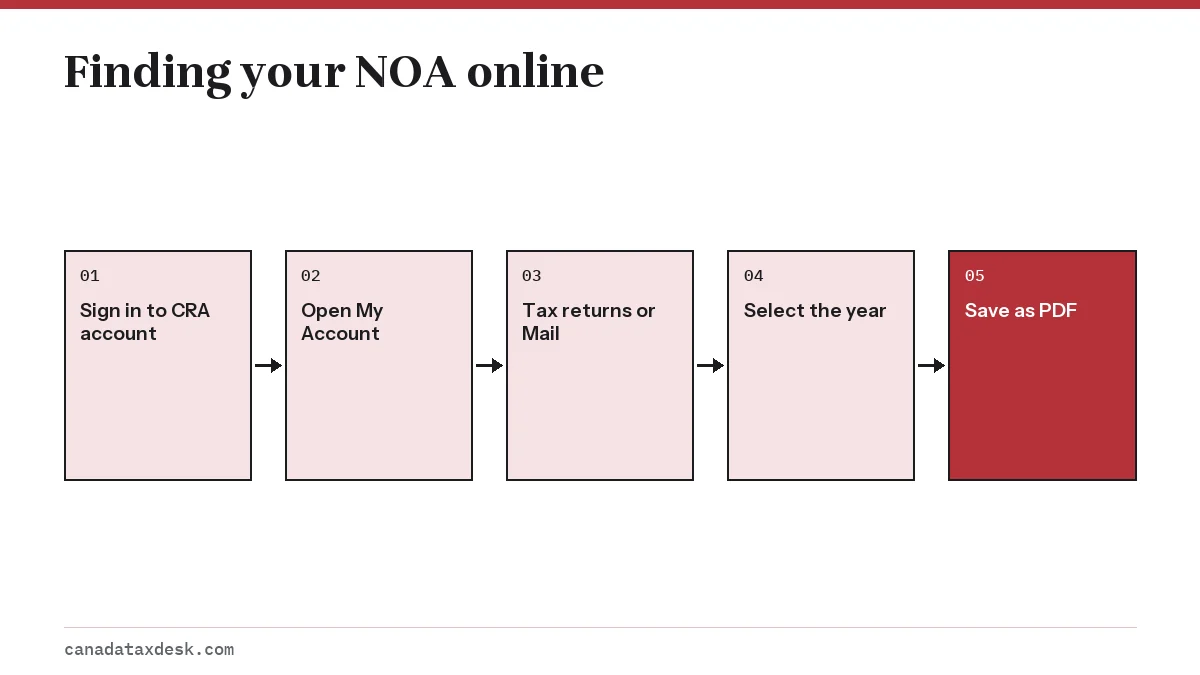
- Go to the CRA sign-in page on canada.ca and sign in with your CRA user ID, a Sign-In Partner (your online bank) or a provincial partner.
- Choose your Individual account, which opens My Account.
- Select Tax returns to see your returns by year, or Mail to see every notice the CRA has sent you.
- Pick the notice of assessment or reassessment for the year you need.
- Open it and use the download or print option to save a PDF.
The Tax returns page also has a progress tracker. If your newest year shows received or in progress, the notice does not exist yet. The CRA tax return timeline explains how long each stage usually takes.
Why notices are digital only now
Starting in February 2026, the CRA made digital notices of assessment and reassessment viewable only in My Account. The CRA sends online mail by default: unless you chose letter mail or never gave it an email address, your notices go to your account and you get an email that new mail is waiting.
| Your setting | Where the NOA goes | Do you get a paper copy? |
|---|---|---|
| Online mail, email on file | CRA account, plus an email alert | No |
| Letter mail selected | Mailed to your address; also visible in your account | Yes, but no email alert |
| No email ever provided | Mailed to your address | Yes |
Either way the content is identical, and it is issued in the language you chose when you filed. The change mostly affects people who expected a letter and are now watching an empty mailbox.
Notice of assessment download: saving and printing a copy
Saving the notice as a PDF is the most practical step you can take once it appears. Lenders and landlords usually accept a PDF by email, and it gives you a copy that does not depend on signing in later.
- Use the print option in the notice view and choose Save as PDF as the printer on your computer or phone.
- Name the file with the tax year and the word reassessment if it is one, so versions do not get mixed up.
- Save the NOA for every year you have filed, not just the latest; mortgage lenders often ask for two years.
- If an institution only needs your income, the proof of income statement on the Tax returns tab may be enough and is available right away.
Why can I not see my NOA in My Account?
A missing notice almost always has one of a handful of causes. Work down this list before you contact the CRA.
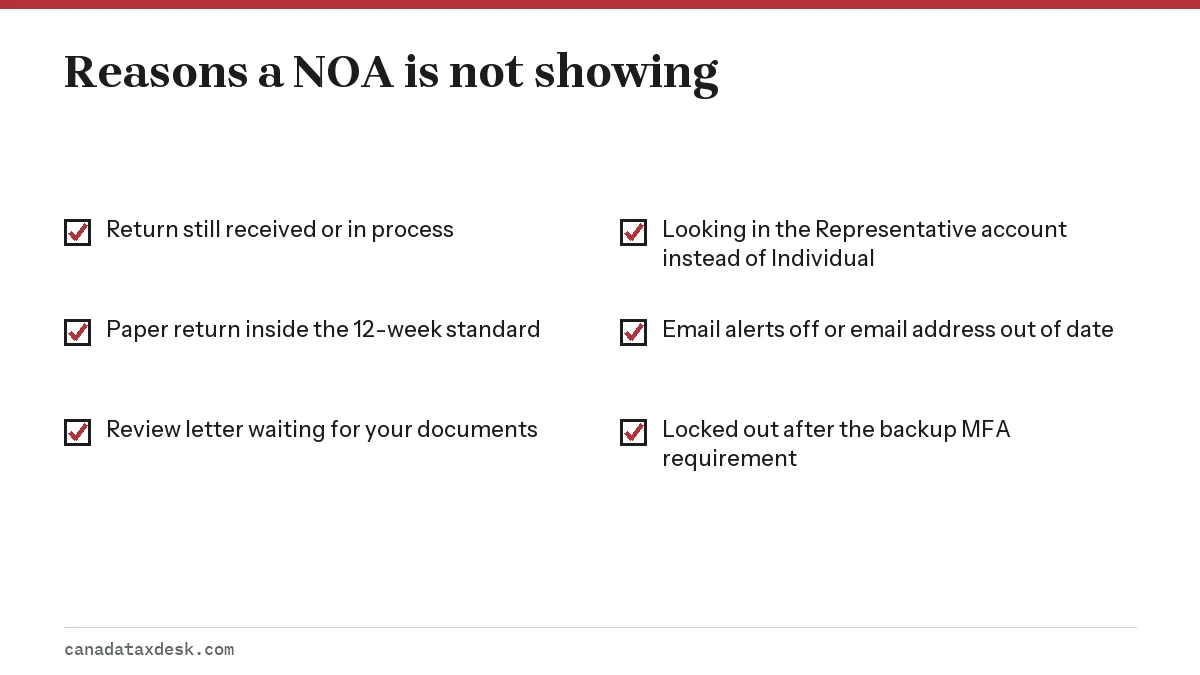
The return is still being processed
Online returns have a 2-week standard; paper returns have 12 weeks; non-resident returns can take up to 16 weeks. Late returns, several years filed together, bankruptcy and deceased returns, and returns under review take longer.
The CRA asked for documents
If a review letter is sitting in your Mail page, the assessment is waiting on your reply. Send what it asks for through Submit documents. See the CRA review letter page for what those requests look like.
You are in the wrong account
Tax preparers and family members who help others sometimes sign in to the Representative account and look for their own notice there. Your own NOA is only in your Individual account.
You cannot sign in at all
Since February 2026 the CRA has required a backup multi-factor authentication option on every account. If you forgot your credentials, you can register again for a new one. Our CRA My Account guide covers the sign-in options.
Where is my notice of assessment number?
A notice of assessment does not have a single reference number the way a court document might. When a form or website asks for a number from your NOA, it usually means one of these three things.
| What you are asked for | Where it is on the NOA | Used for |
|---|---|---|
| NETFILE access code | 8 characters, right side of the notice | Filing next year's return with tax software |
| Line 15000 total income | Tax assessment summary | Confirming your identity with the CRA's automated phone service |
| Date of the notice | Notice details box | Counting the 90-day objection deadline |
The access code is also shown in My Account under Tax returns, which the CRA made easier to find from February 2026. More on that on our NETFILE access code page.
How do I get a copy of my notice of assessment?
There are four ways to get a copy, and only one of them involves waiting for the mail.
| Way | How | Good to know |
|---|---|---|
| Download it yourself | CRA account: My Account, then Tax returns or Mail; choose the year and save as PDF | Available once the return is processed; earlier years are listed too |
| Paper copy by mail | Call the CRA and ask for the notice to be mailed | Have your SIN, date of birth, address and an assessed return ready |
| Proof of income statement | My Account, Tax returns tab, or the automated line at 1-800-959-8281 | A simple generic version of your assessment; a mailed copy can take up to 10 days |
| Through a representative | Their Representative account, then Tax returns or Mail | Needs your authorization and your own CRA account |
According to the CRA's notices page, the way to have a paper copy of a notice mailed is to call the CRA at 1-800-959-8281, or 1-866-426-1527 from Yukon, the Northwest Territories and Nunavut and 613-940-8495 from outside Canada and the US (TTY 1-800-665-0354). You can also order alternate formats such as braille, large print, digital audio or electronic text.
Before calling, have your social insurance number, full name, date of birth and complete address ready, plus an assessed return or other tax document. If you are calling for someone else, you must already be their authorized representative. To get someone else's NOA online instead, they need a CRA account and you need representative access; you then sign in to your Representative account and choose Tax returns or Mail.
Step by step
Sign in
Sign in to your CRA account with a CRA user ID, a Sign-In Partner or a provincial partner.
Open My Account
Choose your Individual account.
Go to Tax returns or Mail
Select the section that lists your notices.
Select the year
Pick the notice of assessment or reassessment you need.
Save a PDF
Use the print option and save the notice as a PDF file.
Common questions
Does the CRA still mail a paper notice of assessment?
Only if you chose letter mail or have never given the CRA an email address. Otherwise your NOA goes to your CRA account and you get an email alert, with no paper copy.
How do I download my notice of assessment?
Sign in to your CRA account, open My Account, select Tax returns or Mail, choose the year and open the notice. Use the print option and save it as a PDF.
I filed two weeks ago. Why is there no NOA yet?
Two weeks is the CRA's target for online returns, not a guarantee. Check the progress tracker; if it says received or in progress, the notice is not ready. Paper returns have a 12-week standard.
Can my accountant see my notice of assessment?
Yes, if you authorize them as your representative and you have a CRA account. They then view it through their Representative account.
Where do I find an old notice of assessment?
Previous years' notices are listed under Tax returns and Mail in your CRA account. You can download them the same way as the current year.
Is there a form to request a notice of assessment from the CRA?
No. There is no application form for a copy of a notice of assessment. Download it from your CRA account, or call the CRA at 1-800-959-8281 and ask for a paper copy to be mailed. Many people still search for this under the CRA's former name, Revenue Canada, but the process is the same.
Can I get my notice of assessment in English or French?
The CRA issues each notice in one language, based on the language preference you chose when you filed. To receive future notices in the other official language, choose that language when you file your next return.
Sources
- CRA: Notices of assessment - NOA or NOR canada.ca
- CRA: What you need for the 2026 tax filing season canada.ca
- CRA: Proof of income statement canada.ca
- CRA: Check CRA processing times canada.ca
We check figures against these official pages. Rules change; confirm anything that affects a deadline or payment with the agency before you act.
Tell us what happened
Describe your situation and our editors will use it to improve this guide. If you leave your email, we may reply with a pointer to the right page or official contact. We never share your details.
Related guides
 After You File Your Tax Return: CRA Timeline Explained
The CRA tax return timeline starts the moment your return is received. For a return filed online, the CRA's service standard is a…
After You File Your Tax Return: CRA Timeline Explained
The CRA tax return timeline starts the moment your return is received. For a return filed online, the CRA's service standard is a…
 CRA My Account: Sign In, Register and Fix Access Problems
CRA My Account is the Canada Revenue Agency's secure online portal for individuals, and you reach it from the official Sign in to…
NETFILE Access Code: Where to Find It on Your NOA in 2027
The NETFILE access code is an 8-character code of letters and numbers printed on the right side of your most recent notice of ass…
CRA Review Letter: What It Means and How to Respond
A CRA review letter asks you to prove an amount you reported or claimed, usually by sending receipts or slips. It is a routine ch…
CRA My Account: Sign In, Register and Fix Access Problems
CRA My Account is the Canada Revenue Agency's secure online portal for individuals, and you reach it from the official Sign in to…
NETFILE Access Code: Where to Find It on Your NOA in 2027
The NETFILE access code is an 8-character code of letters and numbers printed on the right side of your most recent notice of ass…
CRA Review Letter: What It Means and How to Respond
A CRA review letter asks you to prove an amount you reported or claimed, usually by sending receipts or slips. It is a routine ch…