
NETFILE rejected: why the CRA refused your return and how to resend
Short answer
A NETFILE rejected message means the CRA received your data but refused it, so the return is not filed. Usual causes are a name or date of birth that does not match CRA records, an address the CRA cannot read, a first-time filer not flagged as one, or a return type NETFILE cannot take. Correct it and resend, or mail a paper return if the CRA's record is wrong.
- 01Does a rejected return count as filed?
- No, only a return with a confirmation code has been received
- 02Can you resend?
- Yes, after correcting the data
- 03Where the CRA documents error codes
- RC4018 Electronic Filers Manual, chapter 2
- 04Fallback
- Paper return by mail
What does a NETFILE rejected message mean?
A rejection is different from a failed connection. When NETFILE is rejected, the transmission reached the CRA, the CRA ran its identity and format checks, and at least one check failed. Your software then shows a message, often with an error code, instead of the confirmation code you get for an accepted return.
The practical point is simple: a rejected return has not been filed. The deadline still applies, and a late-filing penalty can still build if you owe tax. You can correct the problem and send the return again.
If your software never reached the CRA at all, for example during the 3 a.m. to 6 a.m. Eastern maintenance window, that is a connection problem covered on our NETFILE not working page.
Why CRA NETFILE rejected your return
The CRA publishes its electronic filing error codes in chapter 2 of the RC4018 Electronic Filers Manual. Those codes are written for EFILE preparers, and the wording your NETFILE software shows can differ, but the underlying checks are the same kind. Codes 1 to 99 cover identification and format.
| Code | What the CRA found | What to check |
|---|---|---|
| 40 | Date of birth does not agree with CRA records | Day and month order, year typed correctly |
| 43 | Name does not agree with CRA records | Spelling, hyphens, surname change flag |
| 16 | CRA records show this is a first return | Tick the first-time filer option and give full legal name |
| 51, 53, 57 | City or province invalid, or city not in the CRA city index | Spelling of city, province code, postal code |
| 2 | SIN is temporary or starts with zero | Only newcomers can file electronically with a SIN starting with 0 |
| 22, 36 | Bankruptcy on file, or date of death before the tax year | Dates entered; NETFILE cannot take bankruptcy or deceased returns |
Codes in the 300, 400, 500 and 2000 ranges belong to the manual's error-detection stage, which checks the contents of the return rather than your identity. Your software's help pages explain its own messages; the CRA manual explains what the CRA was checking.
NETFILE error detected on an eligible return
Sometimes the return type is fine and the data is simply inconsistent, such as a spouse's SIN typed the same as your own (code 70 in the manual) or a marital status the CRA cannot read (code 65). Fix the field named in the message and resend.
Read the video transcript
NETFILE rejected the return
A rejection means the CRA received your data but refused it. The return is not filed.
Only a return with a confirmation number has actually been received.
Most rejections come from a name, date of birth or SIN that does not match CRA records.
An address the CRA cannot read, or a first-time filer not flagged as one, will also stop it.
Correct the detail in your software and send it again. There is no penalty for resending.
If it keeps failing near the deadline, mail a paper return so you are not filing late.
NETFILE rejected for a first-time taxpayer
First-time filers face an extra check because the CRA has no earlier return to match against. Its manual describes a specific check: when CRA records show that a person is filing for the first time, the return must say so and include the first name, any second name and the last name.
- Select the option in your software that marks this as your first return to the CRA.
- Enter your full legal name, including any second name, the way it appears on your government records.
- Leave the access code blank. First-time filers do not have one, and entering anything else will not help.
- Newcomers should enter their date of entry to Canada where the software asks for it. Only newcomers can file electronically with a SIN that begins with 0.
Our first tax return guide covers the rest of the setup for students, young workers and newcomers.
How to correct and resend a rejected return
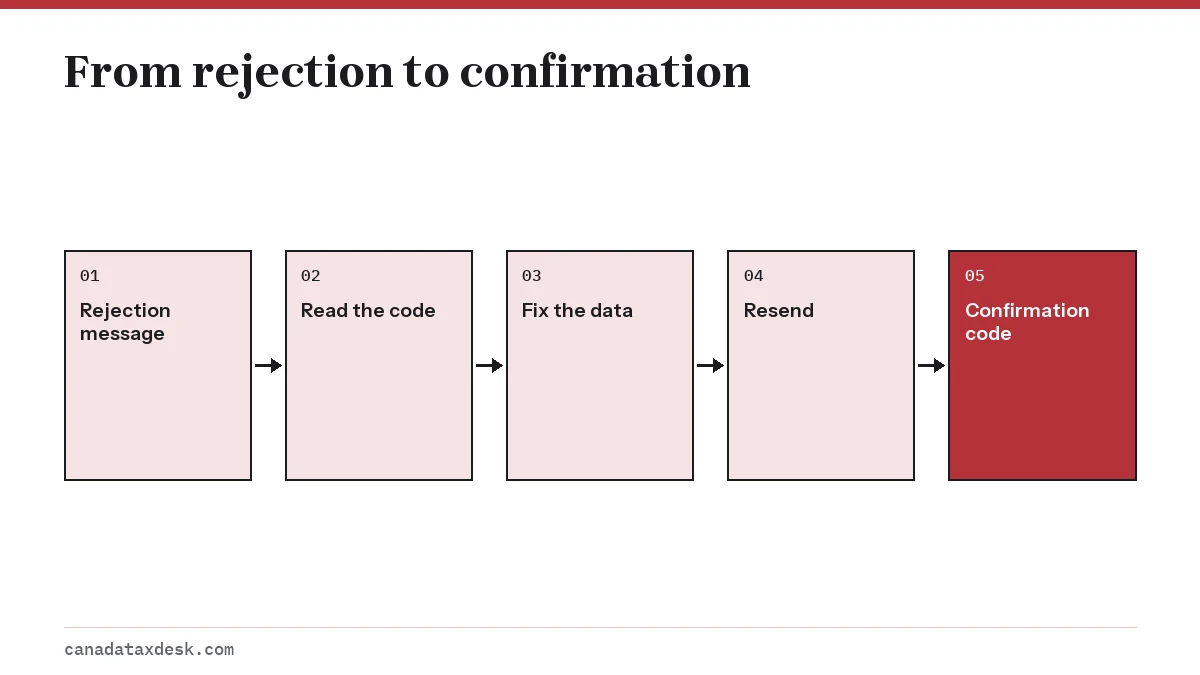
- Write down the exact message and any code number the software shows.
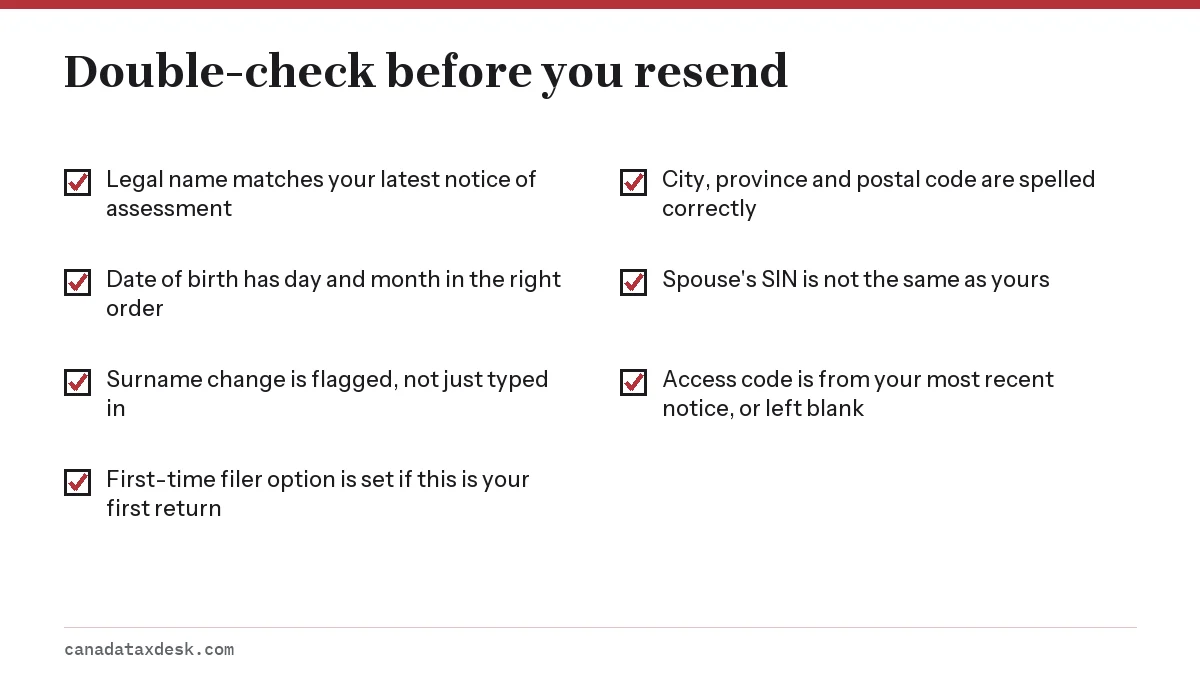
- Find the field it points to. For identity codes, compare against your latest notice of assessment rather than memory.
- Correct the entry. If you entered an access code, confirm it came from your most recent notice, or clear it.
- Run the software's review again so it catches anything else before you resend.
- Transmit again. Rejections can repeat with a different code each time if more than one detail is wrong.
- Save the confirmation code once the CRA accepts the return.
When to file on paper instead
Paper is the right choice when resending cannot work. That happens in two situations. First, the return is a type NETFILE excludes, such as a return for a deceased person or a bankruptcy return. Second, your details are correct but the CRA's record is wrong. For a birth date mismatch, the CRA's manual says the taxpayer will need to provide original or certified documents to resolve the discrepancy.
Correcting a CRA record can take longer than the time left before April 30. If the deadline is close, mail the return rather than waiting. Our paper tax return page explains how to print and send it, and the NETFILE Canada guide covers the service rules in full.
Step by step
Record the message
Note the rejection message and code shown by your software.
Find the field
Match the code to the field involved, such as name, date of birth or address.
Correct the data
Fix the entry against your latest notice of assessment and clear any out-of-date access code.
Resend
Run the review again and transmit the return as an original.
Keep the confirmation
Save the confirmation code once accepted, or mail a paper return if the CRA's record needs fixing first.
Common questions
Why was my NETFILE rejected?
Usually because your name, date of birth, address or SIN does not match what the CRA has on file, or because the return type is not allowed through NETFILE. The message or code in your software points to the field involved.
Where can I find a list of NETFILE error codes?
The CRA lists its electronic filing error codes in chapter 2 of the RC4018 Electronic Filers Manual. Codes 1 to 99 cover identification and format checks, such as code 40 for a date of birth and code 43 for a name that does not match CRA records. The manual is written for EFILE, so the message your NETFILE software shows may be worded differently.
Can I resend a rejected NETFILE return?
Yes. Correct the detail and send it again as an original return. The CRA manual notes a record can be rejected several times with different codes, so fix every flagged field before each attempt.
Does a rejected return count as filed?
No. The CRA has not accepted it, so for deadline and penalty purposes it has not been filed. Only an accepted return produces a confirmation code.
Can a first-time filer be rejected by NETFILE?
Yes. If CRA records show it is your first return, the software must say so and include your full name, including any second name. Fix those fields and resend.
What if NETFILE rejects a return for a year I already filed?
If the CRA has already accepted a return for that year, do not send a new original. Use ReFILE, Change my return in My Account, or Form T1-ADJ to make changes instead.
Sources
- RC4018 Electronic Filers Manual, chapter 2: error codes (Canada.ca) canada.ca
- NETFILE: sending your return (Canada.ca) canada.ca
- Sending a tax return (Canada.ca) canada.ca
- Change your return (Canada.ca) canada.ca
We check figures against these official pages. Rules change; confirm anything that affects a deadline or payment with the agency before you act.
Tell us what happened
Describe your situation and our editors will use it to improve this guide. If you leave your email, we may reply with a pointer to the right page or official contact. We never share your details.
Related guides
 NETFILE Canada: How to File Your Tax Return Online
NETFILE Canada is the CRA service that receives a personal T1 return sent straight from certified tax software. For the current s…
CRA EFILE: Registration, Login and 2027 Renewal
CRA EFILE is the electronic filing service for people and firms who prepare tax returns for others. Preparers apply online, pass…
NETFILE Not Working? CRA-Side Causes and What to Do
When NETFILE is not working, the cause is usually on a short list: the service is in its 3 a.m. to 6 a.m. ET daily maintenance, t…
Filing Your First Tax Return in Canada: Step-by-Step
First time filing taxes in Canada means sending the CRA a T1 return for the first year you had income or lived here, and for tax…
Paper Tax Return Canada: Where to Mail Your Return
You can still file a paper tax return in Canada by mailing it to the Winnipeg, Sudbury or Jonquière tax centre that serves your a…