
Work from home expenses in Canada: the T2200 rule and what you can claim
Short answer
Employees in Canada can claim work from home expenses for 2023 and later only with the detailed method: your employer must sign Form T2200, you calculate the work-use share of eligible costs on Form T777, and you deduct the total on line 22900. The temporary $2-a-day flat rate ended with the 2022 tax year.
- 01Employer form
- Form T2200, Declaration of Conditions of Employment, signed by the employer
- 02Employee form
- Form T777, Statement of Employment Expenses
- 03Return line
- Line 22900, Other employment expenses
- 04Flat rate method
- Ended after 2022; not available for 2023 and later
- 05Work space test
- More than 50% of work time at home for at least 4 consecutive weeks, or exclusive use to meet clients
Can you claim work from home expenses in Canada?
Yes, if you are an employee who was required to work from home, you paid the costs yourself, and your employer signs Form T2200. For the 2023 tax year onward, the CRA allows only the detailed method, which means claiming a measured share of actual household costs (CRA, home office expenses for employees).
A work-space-in-the-home expense is the portion of rent, utilities and similar costs that relates to the part of your home you use for your job. It is a deduction from employment income, so it saves tax at your marginal rate rather than at a fixed credit rate. It sits alongside the other claims in our credits and deductions guide.
Who can claim work from home expenses on a Canadian tax return?
The CRA lists five conditions for the detailed method, and all of them must be met. Missing any one of them means no claim.
- Your employer required you to work from home. A written or verbal agreement counts, and a formal telework arrangement you signed up for voluntarily is treated as a requirement.
- Your employment contract required you to pay the expenses, and you were not reimbursed for them.
- Your work space passes one of two tests: you worked there more than 50% of the time for at least 4 consecutive weeks in the year, or you used it only to earn employment income and regularly met clients or customers in person there.
- The expenses were used directly in your work.
- Your employer completed and signed Form T2200.
Self-employed people do not use these rules. They claim business-use-of-home expenses on Form T2125 instead, which allows different costs; see business expenses in Canada.
Do you need a T2200 form to claim home office expenses?
Yes. Form T2200, Declaration of Conditions of Employment, is the employer's written confirmation that your job required you to work from home and pay certain costs. The CRA says the form must be signed by your employer, and without it the claim can be denied.
You do not send the T2200 with your return. Keep it with your receipts for six years, because the CRA can ask to see it. If your employer refuses to sign because you chose to work from home without any arrangement, the claim is not available.
What happened to the T2200S and the flat rate?
The shortened Form T2200S, the simplified Form T777S and the $2-per-day temporary flat rate method were pandemic measures for the 2020, 2021 and 2022 tax years. The CRA's how-to-claim page says returns for 2023 and later must use Form T777 with a Form T2200. If you still have a 2022 return to fix, the older rules apply to that year only. Under those rules, the flat rate was $2 for each day worked from home, up to $400 for 2020 (200 days) and $500 for each of 2021 and 2022 (250 days), for people who worked more than 50% of the time from home for at least 4 consecutive weeks because of COVID-19. It was claimed on Form T777S and did not need a T2200 or T2200S. The detailed method for those years used Form T777S, or Form T777 if you also claimed other employment expenses, together with a T2200S or T2200 from your employer.
Which work from home expenses are eligible?
What you can claim depends on whether you are paid a salary or earn commissions. Commission employees can claim more categories, but neither group can claim the cost of owning the home.
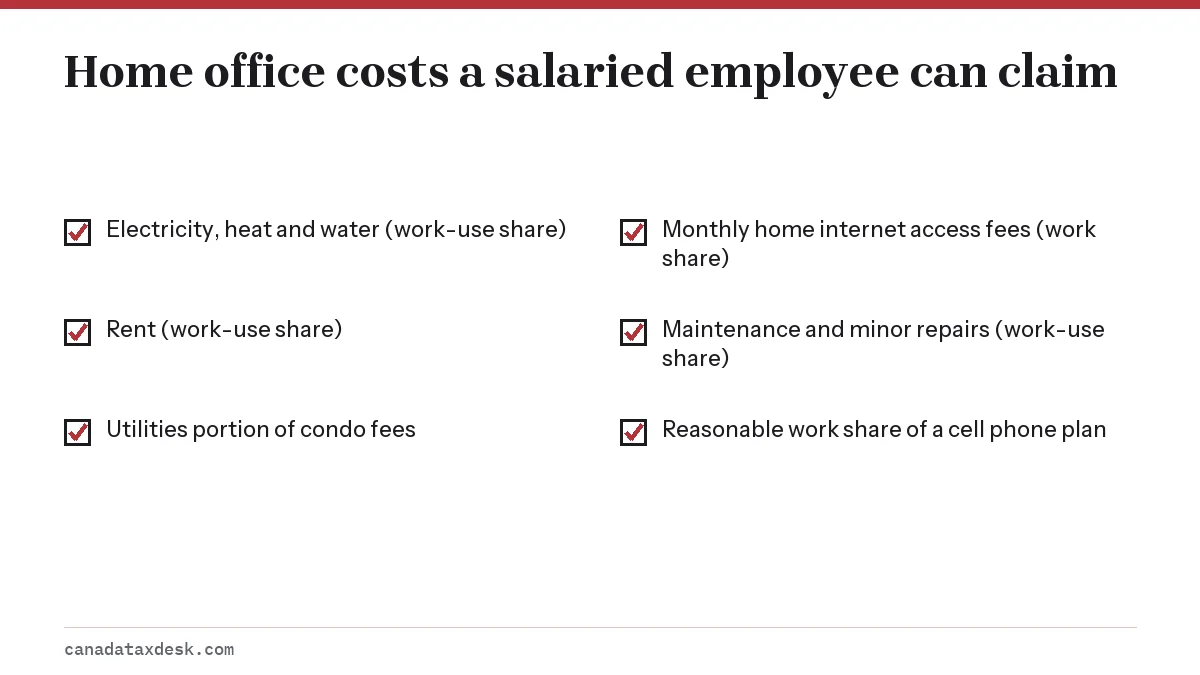
| Expense | Salaried employee | Commission employee |
|---|---|---|
| Electricity, heat and water | Yes, work-use share | Yes, work-use share |
| Utilities portion of condo fees | Yes | Yes |
| Monthly home internet access fees | Yes, reasonable work share | Yes, reasonable work share |
| Maintenance and minor repairs | Yes, work-use share | Yes, work-use share |
| Rent | Yes, work-use share | Yes, work-use share |
| Home insurance and property taxes | No | Yes, work-use share |
| Lease of a cell phone, computer or tablet | No | Yes, if tied to earning commissions |
| Mortgage interest or principal | No | No |
| Furniture, computers, monitors, renovations | No | No |
Internet connection fees and modem or router lease costs are not deductible. For a cell phone plan, a salaried employee can claim the reasonable work-use part of the plan if they can show how many minutes or how much data was for work; the basic monthly charge of a land line is not deductible.
How to claim work from home expenses step by step
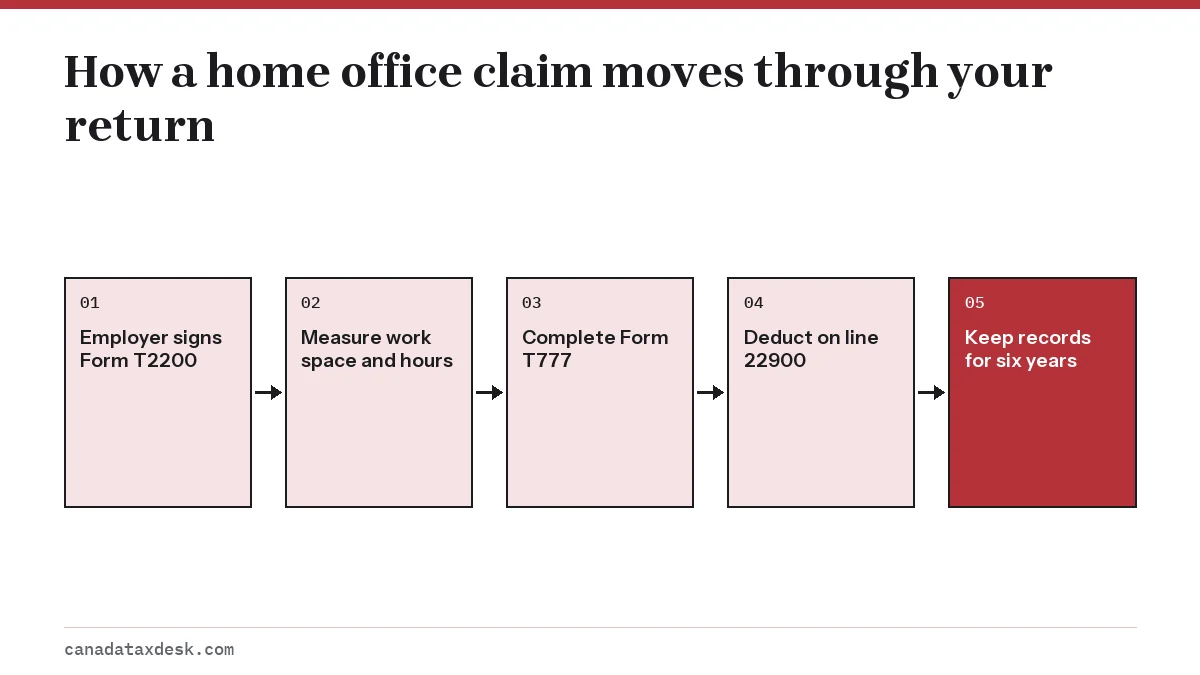
- Ask your employer for a completed and signed Form T2200 for the tax year.
- Measure your work space and the finished area of your home, and track weekly hours if the space is shared.
- Total the year's eligible bills: rent, utilities, internet, and for commission earners, insurance and property tax.
- Complete Form T777, Statement of Employment Expenses, in your tax software. It also holds any vehicle or supply costs.
- Enter the Form T777 total on line 22900 of your return and file. Keep the T2200, T777 and receipts for six years.
If you missed the claim on a return that is already assessed, you can add it for past years through Change my return, as long as you have the T2200 for each year.
Keeping records the CRA will ask for
If the CRA selects your claim for a review letter, expect to be asked for the signed T2200, a floor plan or measurements, and the bills behind each amount.
- The signed Form T2200 for each year you claim.
- Lease or rent receipts, and utility bills in your name or showing you paid them.
- Internet and phone statements with a note of how you worked out the work share.
- A simple calendar showing which weeks you worked at home, to prove the 4-week test.
People adapting a home for a senior or a person with a disability should look at the separate home accessibility tax credit, which covers renovations rather than running costs.
Step by step
Get a signed T2200
Ask your employer to complete and sign Form T2200 for the tax year.
Work out your work-use share
Divide the work space area by the home's finished area; for shared spaces, multiply by weekly work hours divided by 168.
Total eligible costs
Add rent, utilities, internet access fees and, for commission earners, home insurance and property taxes.
Complete Form T777
Apply the work-use share to each cost on Form T777, Statement of Employment Expenses.
Claim on line 22900
Enter the total on line 22900 and keep the T2200 and receipts for six years.
Common questions
Can I still use the $2 a day flat rate for work from home?
No. The temporary flat rate method applied only to the 2020, 2021 and 2022 tax years. From 2023 on, employees must use the detailed method with Form T777 and a signed Form T2200.
What is the difference between Form T777 and Form T2200?
Form T2200, Declaration of Conditions of Employment, is completed and signed by your employer to confirm the conditions of your job, and you keep it instead of sending it with your return. Form T777, Statement of Employment Expenses, is the form you complete to calculate your work-space-in-the-home and other employment expenses; its total goes on line 22900. For 2023 and later you need both.
Can I still claim work from home expenses for 2021 or 2022?
Yes, under the rules that applied to those years: the temporary flat rate of $2 a day, up to $500 for each year, if you worked more than 50% of the time from home for at least 4 consecutive weeks because of COVID-19, or the detailed method with a Form T2200S or T2200. To add the claim to a return that is already assessed, ask the CRA to change that year's return.
What if my employer won't sign my T2200?
Without a signed T2200 you cannot claim employee home office expenses. Employers generally sign only when the job required you to work from home and pay the costs, so a purely voluntary choice to stay home usually does not qualify.
Can I claim my home internet bill if I work from home?
You can claim a reasonable work-use share of monthly home internet access fees if you meet the other conditions. Connection fees and modem or router leases are not deductible.
Can I claim a desk or computer I bought to work from home?
No. Furniture, computers and monitors are capital items that employees cannot deduct. Commission employees can claim a lease of a computer or tablet that reasonably relates to earning commissions.
Can homeowners claim mortgage interest as a work from home expense?
No. Neither salaried nor commission employees can claim mortgage interest, mortgage principal or capital cost allowance on the home. Commission employees can claim a share of home insurance and property taxes.
Sources
- Home office expenses for employees canada.ca
- Detailed method, eligibility criteria canada.ca
- Expenses you can claim canada.ca
- Determine your work space use canada.ca
- How to claim home office expenses canada.ca
We check figures against these official pages. Rules change; confirm anything that affects a deadline or payment with the agency before you act.
Tell us what happened
Describe your situation and our editors will use it to improve this guide. If you leave your email, we may reply with a pointer to the right page or official contact. We never share your details.
Related guides
 Tax Credits and Deductions in Canada: What You Can Claim
Tax deductions in Canada reduce the income you are taxed on, so they save tax at your top marginal rate, while most federal tax c…
Business Expenses List Canada: Self-Employed Deductions
Business expenses are tax deductible in Canada when you incur them to earn business income, they are reasonable, and they are not…
T1-M Moving Expenses Deduction: 40 km Rule and Line 21900
You claim the moving expenses deduction for Canadian taxes on Form T1-M and line 21900 when you move for a new job, a business or…
Home Accessibility Tax Credit: 2026 Rule Change Explained
The home accessibility tax credit (HATC) is a federal non-refundable credit on up to $20,000 a year of permanent renovations that…
CRA Review Letter: What It Means and How to Respond
A CRA review letter asks you to prove an amount you reported or claimed, usually by sending receipts or slips. It is a routine ch…